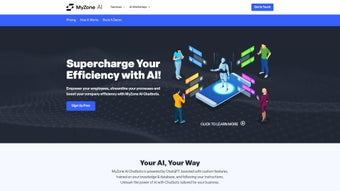

Download MyZone AI Chatbots – AI‑Powered Business Automation Tool
Introduction: Why MyZone AI Chatbots Is a Game‑Changer for Modern Businesses
In today’s fast‑paced digital economy, businesses of every size are hunting for ways to trim repetitive work, boost customer satisfaction, and stay ahead of the competition. MyZone AI Chatbots answers that call with a subscription‑based web platform that lets entrepreneurs, freelancers, and established companies build custom, AI‑driven chatbots in minutes. Powered by the latest GPT‑3.5‑turbo and GPT‑4 models, the service offers a blend of natural‑language understanding, multilingual translation, and intelligent summarization—all wrapped in a secure, cloud‑hosted environment.
What sets MyZone apart from generic chatbot builders is its focus on business efficiency. Instead of a one‑size‑fits‑all script, users feed the platform with their own company information, target market details, unique selling points, and a library of FAQs or internal documents. The AI then tailors its responses, learning the brand voice and operational nuances automatically. This means a sales lead can be qualified, a support ticket can be triaged, and a marketing copy can be drafted without a human lifting a finger.
Beyond the obvious time savings, MyZone’s automation creates a measurable impact on key performance indicators such as average response time, conversion rate, and employee productivity. By delegating routine queries and data‑intensive tasks to a reliable AI assistant, staff can refocus on strategic initiatives that truly move the needle. The platform’s subscription model also ensures you always have access to the newest AI capabilities, security patches, and performance upgrades without any hidden fees.
Whether you run a boutique e‑commerce shop, a SaaS startup, or a consulting firm, MyZone AI Chatbots delivers a scalable, secure, and cost‑effective solution to modernize your workflow. In the sections that follow we’ll dive deep into core functionalities, walk through the quick‑start process, examine system compatibility, and weigh the pros and cons based on real‑world usage. By the end you’ll have a clear picture of whether this AI‑driven tool deserves a spot in your tech stack.
Core Features and How to Get Started
Feature List (Highlights)
- Custom AI chatbot creation with drag‑and‑drop workflow.
- Integration of GPT‑3.5‑turbo and GPT‑4 for advanced language understanding.
- Automatic language translation for over 100 languages.
- Document ingestion – upload PDFs, Word files, or CSVs for contextual answers.
- FAQ training – feed the bot with your own knowledge base.
- Multi‑channel deployment (web widget, WhatsApp, Facebook Messenger, Slack).
- Real‑time analytics dashboard for conversation metrics.
- Secure cloud hosting with GDPR‑compliant data storage.
- Scheduled updates and AI model upgrades included in the subscription.
- Role‑based access control for team collaboration.
- API and webhook support for custom integrations.
Installation & Usage Instructions
Getting MyZone AI Chatbots up and running is intentionally straightforward. Because it is a web‑based SaaS, there is no local software to install on your desktop; you only need a modern browser and an internet connection.
- Create an account: Visit myzone.ai and sign up with your business email. A verification link will be sent to confirm ownership.
- Select a subscription plan: Choose from monthly or annual plans based on the number of active bots and conversation volume you anticipate.
- Define your business profile: Fill in fields for industry, target market, and unique selling propositions. This information guides the AI’s tone and content relevance.
- Upload training materials: Drag and drop PDFs, Word documents, or CSV files containing product specs, policy documents, or frequently asked questions. MyZone’s parser extracts key phrases and stores them in a vector database for quick retrieval.
- Configure bot behavior: Use the visual workflow editor to set triggers, escalation paths, and fallback responses. You can also enable language translation or summarization modules with a single toggle.
- Deploy the widget: Copy the generated JavaScript snippet and paste it into the footer of your website or embed it within a mobile app using the provided SDKs.
- Monitor and refine: Access the analytics dashboard to see conversation volume, user satisfaction scores, and common queries. Use this data to fine‑tune responses or add new documents.
- Scale as needed: Add additional bots or increase conversation limits from the billing portal without any downtime.
The entire setup process typically takes less than 30 minutes for a basic bot, and the platform offers step‑by‑step video tutorials for more complex configurations. Because the AI runs on MyZone’s secure servers, you never have to worry about local resource constraints, and updates are applied automatically without downtime. If you encounter any hiccups, a 24/7 support chat is available directly within the dashboard.
Compatibility, Pros & Cons, and System Requirements
Supported Operating Systems: MyZone AI Chatbots is a cloud‑native service, meaning it works on any operating system that can run a modern web browser. Officially supported platforms include Windows 10/11, macOS Ventura and later, Linux distributions with Chrome/Firefox, as well as mobile browsers on Android 9+ and iOS 13+. For developers, SDKs are available for Android (Java/Kotlin) and iOS (Swift) to embed the chatbot directly into native apps.
Pros
- Fast deployment: No code required for basic bots; a visual editor speeds up launch.
- Powerful AI models: Access to GPT‑4 ensures high‑quality, context‑aware responses.
- Scalable architecture: Handles thousands of concurrent chats without performance degradation.
- Multilingual support: Automatic translation opens new markets instantly.
- Secure & compliant: End‑to‑end encryption, GDPR compliance, and regular security audits.
- Team collaboration: Role‑based permissions let multiple users manage bots safely.
- Extensive integrations: Native connectors and webhooks simplify data flow to existing CRMs.
Cons
- Subscription cost: Premium plans can be pricey for very small businesses.
- Internet dependency: Requires a stable connection; offline use is not possible.
- Learning curve for advanced workflows: Complex escalation paths may need extra training.
- Limited on‑premise option: Organizations seeking self‑hosted solutions must look elsewhere.
- Data residency limits: Some regions may require local data centers not currently offered.
Review Summary (Microdata)
Overall Rating: 4.5/5 – MyZone AI Chatbots delivers a robust, user‑friendly platform that can dramatically improve operational efficiency, especially for businesses ready to invest in AI‑driven automation.
FAQ and Final Thoughts – Is MyZone the Right Choice for Your Business?
Can I integrate MyZone with existing CRM or help‑desk tools?
Yes. MyZone offers native connectors for popular platforms such as HubSpot, Salesforce, Zendesk, and Freshdesk. You can also use webhooks or Zapier to create custom integrations, allowing chat data to flow directly into your existing pipelines.
How secure is the data that my chatbot processes?
All communications are encrypted with TLS 1.3, and stored data resides in ISO‑27001 certified data centers. MyZone adheres to GDPR and CCPA regulations, providing data‑subject access requests and deletion capabilities on demand.
Do I need any programming knowledge to build a bot?
No. The drag‑and‑drop workflow editor lets you design conversation trees without writing code. For advanced customizations, developers can use the provided APIs and SDKs, but basic bots are completely code‑free.
What happens if I exceed my monthly conversation limit?
When you approach the limit, MyZone notifies you via email and the dashboard. You can either upgrade to a higher tier instantly or purchase a one‑time overage pack to avoid service interruption.
Is there a free trial or demo version available?
Yes. MyZone offers a 14‑day free trial with access to all core features, including GPT‑4. You can create up to two bots during the trial, allowing you to evaluate performance before committing to a paid plan.
Conclusion & Call‑to‑Action
MyZone AI Chatbots delivers a compelling blend of cutting‑edge language models, intuitive setup, and enterprise‑grade security—all at a price point that scales with your business needs. If you’re looking to eliminate repetitive tasks, provide instant multilingual support, and gain actionable insights from every conversation, this platform is worth a serious look. The 14‑day free trial eliminates risk, letting you test the AI’s accuracy and integration capabilities in a live environment.
Ready to streamline your operations and stay ahead of the competition? Sign up for MyZone AI Chatbots today and experience the power of AI‑driven automation for yourself.



.png)



